See what’s costing you customers on Google.

Your Google Business Profile decides whether you show up in Maps, local search, and AI answers. Get a free audit — your optimization score, your top competitors, your AI visibility, and exactly what to fix.

Get my free audit

No card · No contract · Report emailed in minutes

Three steps. A few minutes.

  1. 1Connect your profile

    Sign in with the Google account that manages your Business Profile. Takes about ten seconds.

  2. 2Pick what you want to win

    Tell us the services and the area you want to rank for. We check your standing against the businesses next door.

  3. 3Get your report

    See your score and competitors on screen, then get the full report by email within minutes.

What’s in your report

No sales call to sit through. Six sections, emailed to you — here’s each one.

01

Optimization score

A 0–100 grade on how complete and competitive your Google Business Profile is — with a pass/fail on each thing Google weighs, so you know exactly what to fix first.
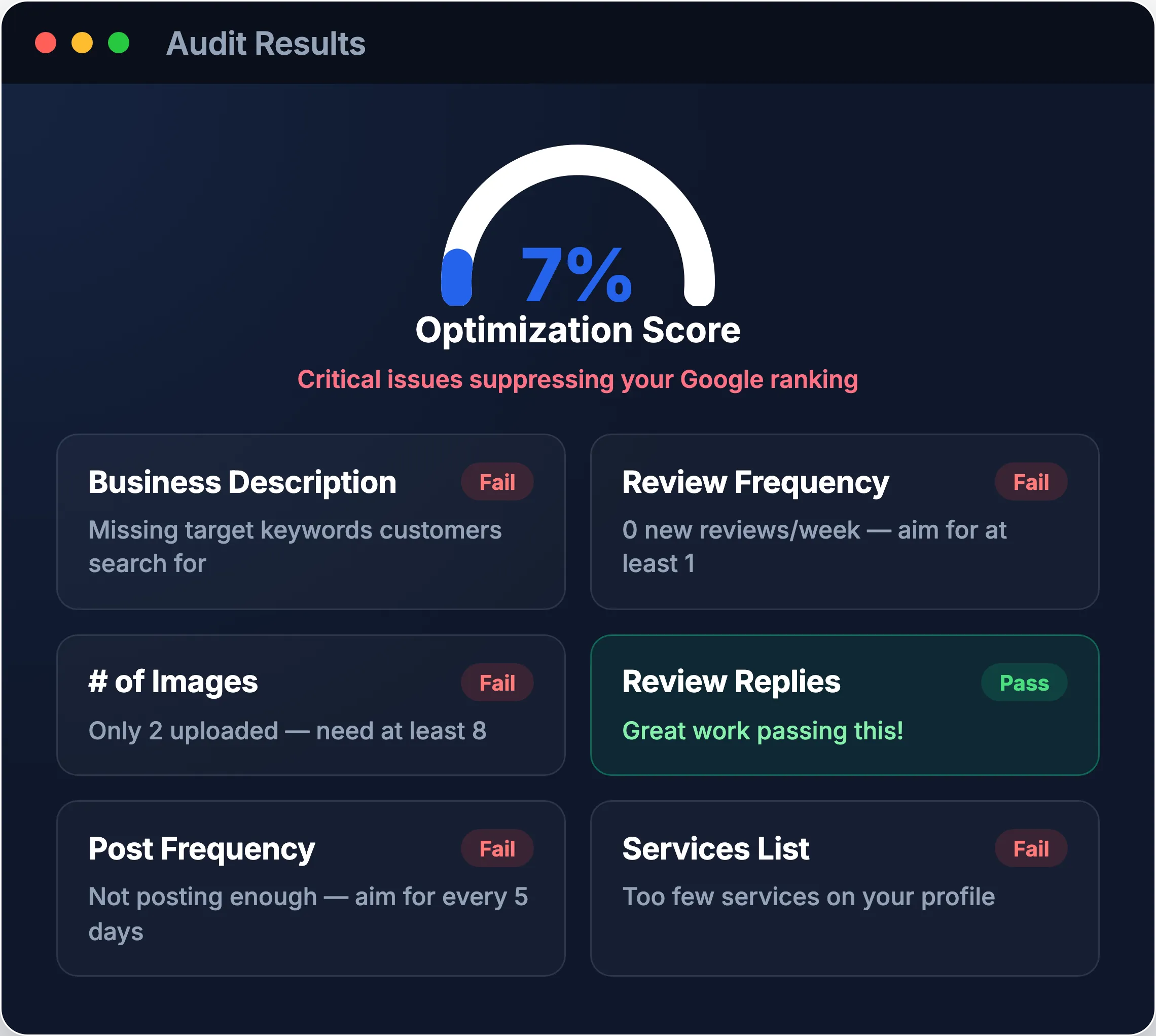
Audit results showing an optimization score and a pass/fail checklist
02

Revenue you’re missing

What the demand in your area is actually worth each month — and how much of it is going to better-ranked competitors right now.
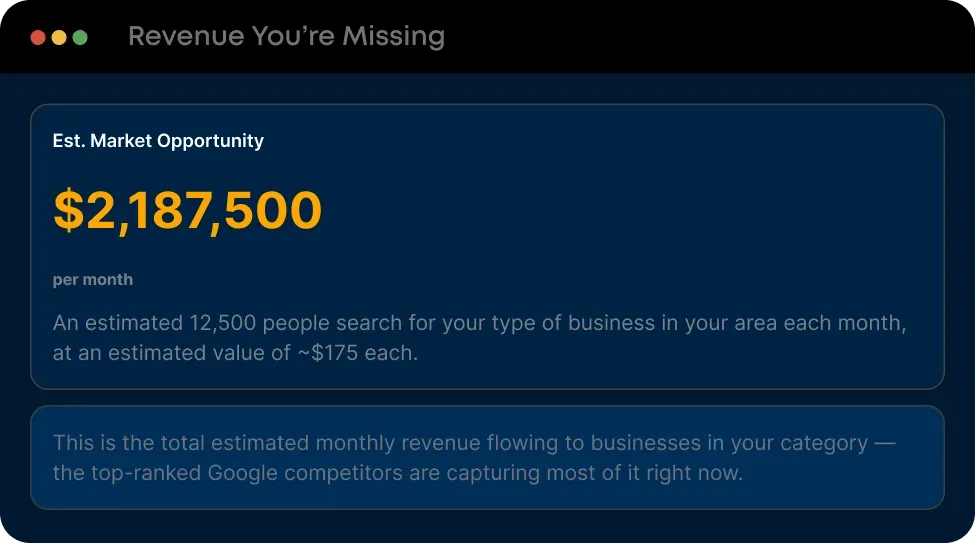
Report card showing estimated monthly market opportunity
03

Your top 3 competitors

The three businesses beating you in the map pack — their ratings, review counts, and how far ahead they are. See exactly who you’re up against, and the gap you have to close.
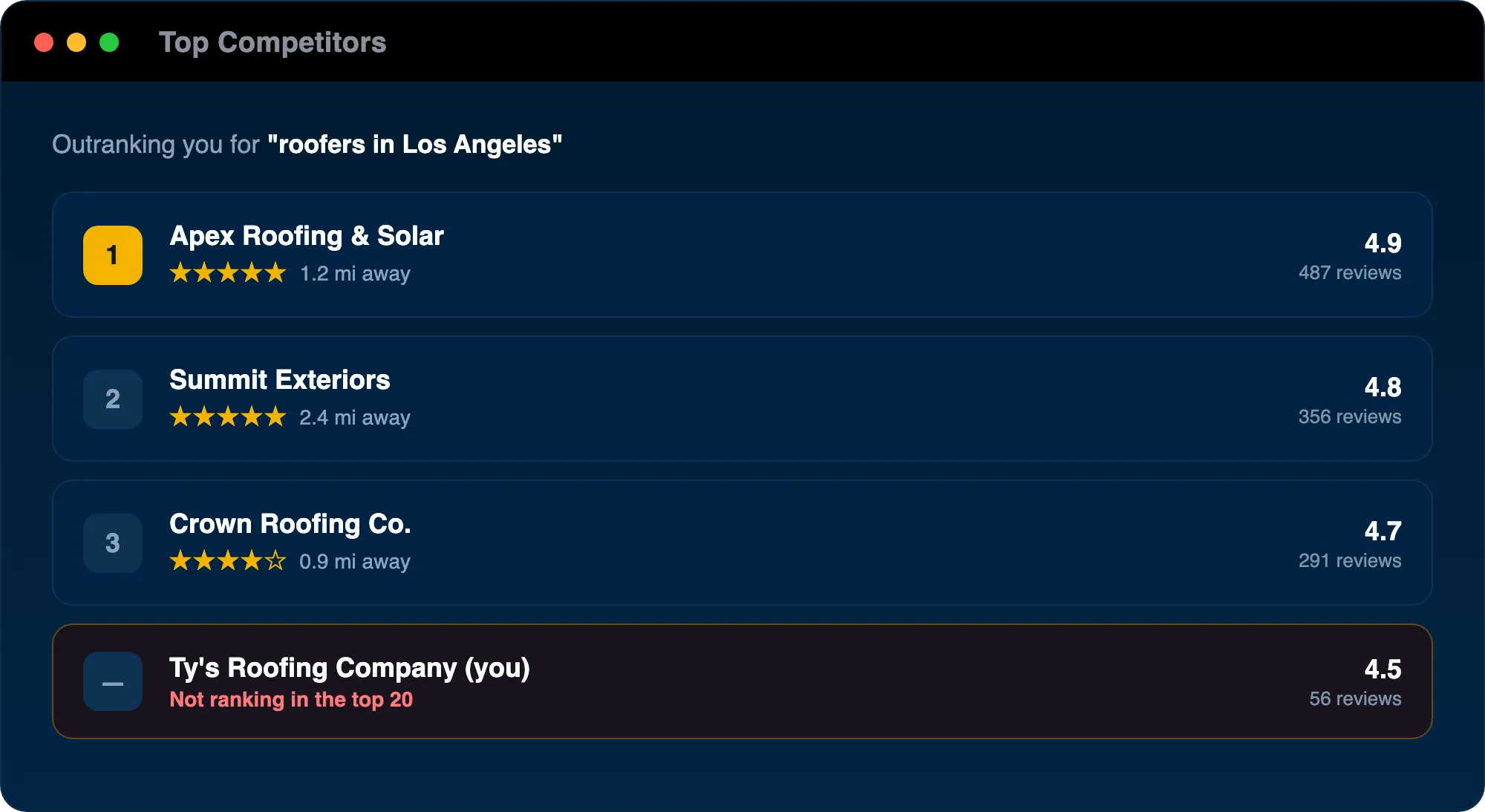
Top competitors list showing three higher-ranked businesses and your position below them
04

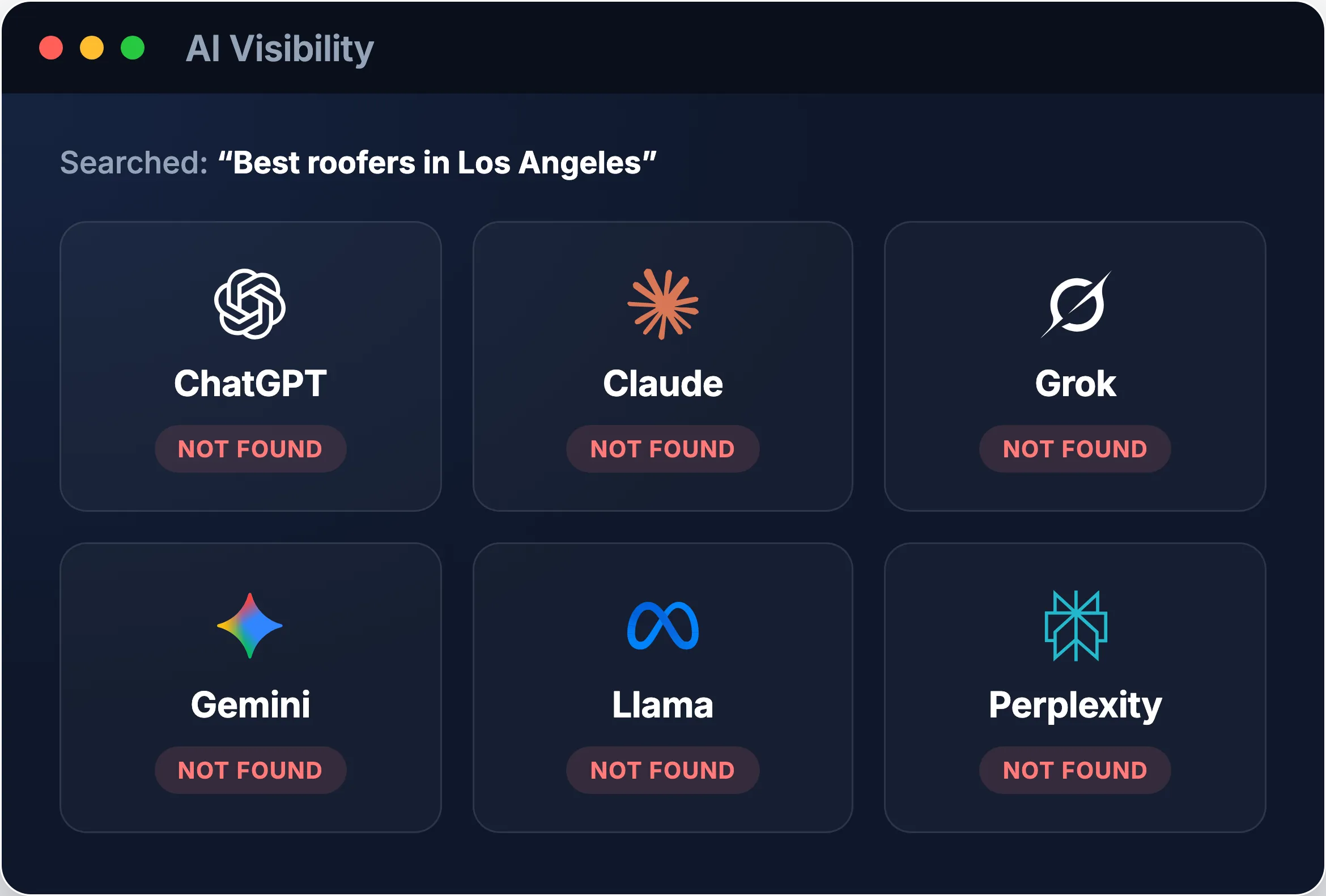
AI visibility

Whether ChatGPT, Gemini, Perplexity and the rest name your business when a customer asks AI for the best in town — the fastest-growing way people find local pros, and where most contractors are invisible.

AI visibility check showing whether the business is found across major AI assistants
05

Map pack rank analysis

A grid of where you actually rank in every neighborhood around you — the number in each square is your position there. Drag to compare your grid against the top of the map: red is buried past position 20, green is the front page. You’ll see exactly where you show up, and where you don’t.
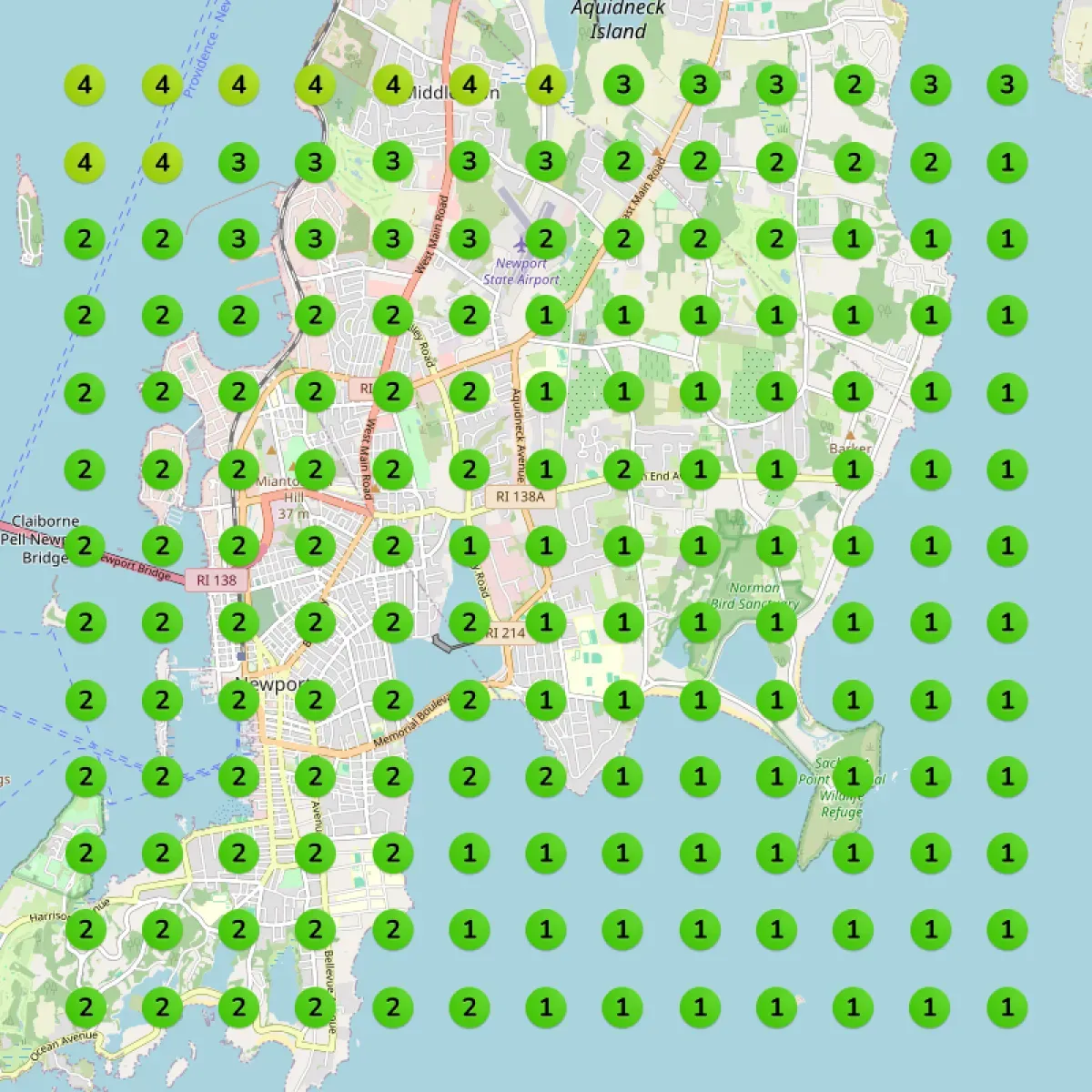
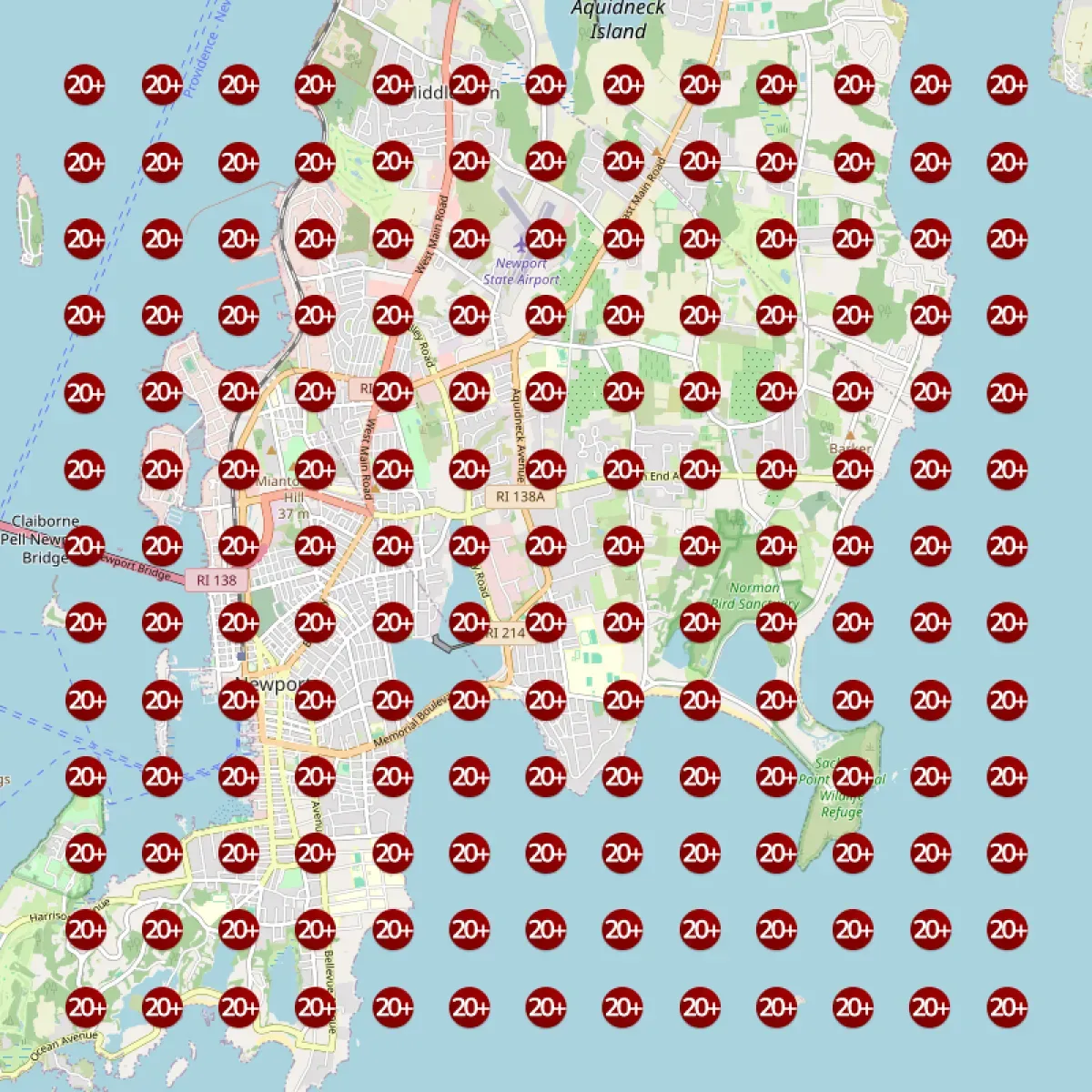
The same map grid showing top-three rankings across the whole service area Map grid showing the business ranking 20+ (off the map) across the whole service area You today The goal
06

Your action plan

A plain-English summary of where you stand and a prioritized fix list — what to do first, second, and third to climb the map. No jargon, just the next steps.
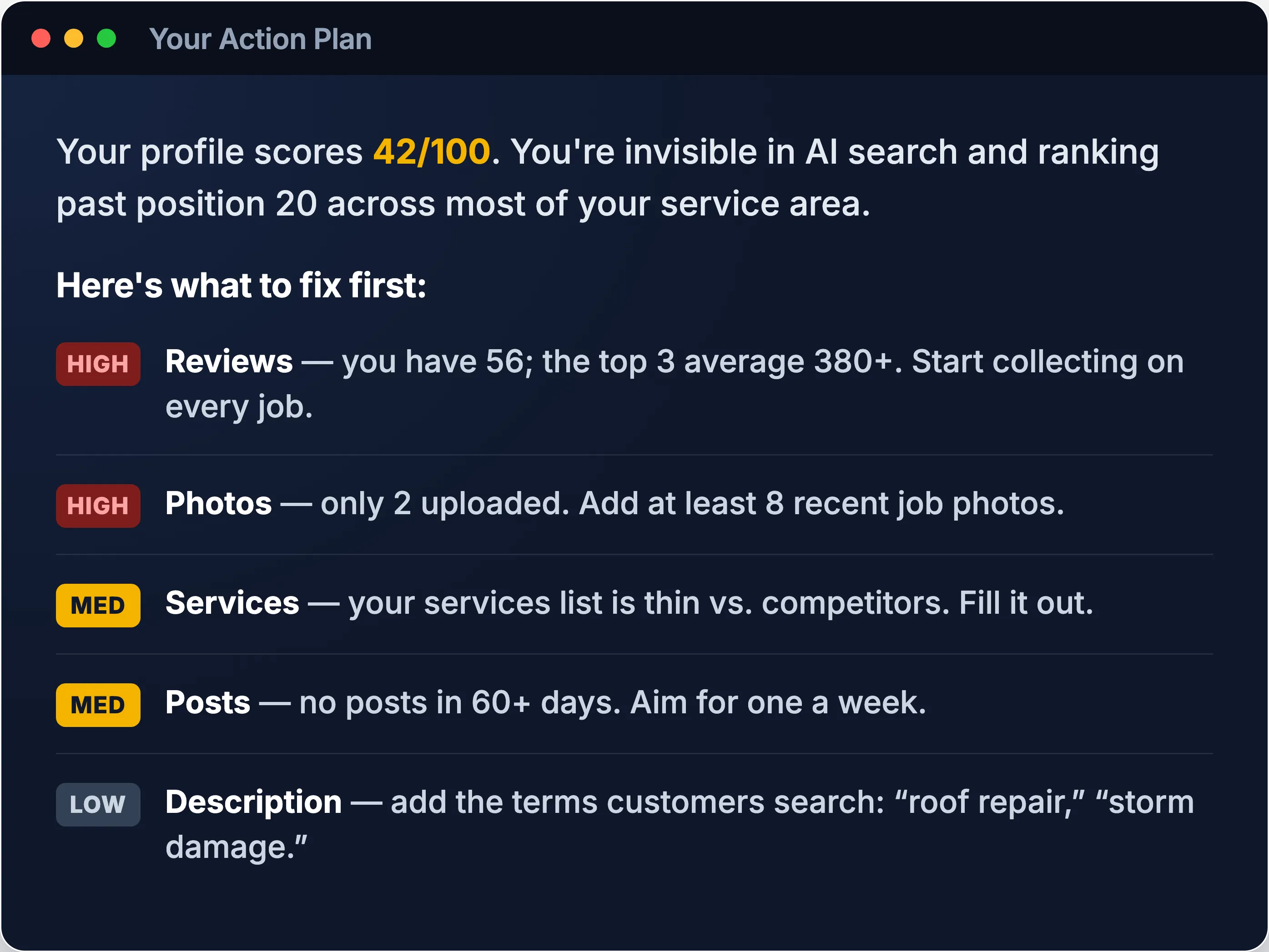
AI-written audit summary with a prioritized list of fixes

No catch. We audit Google Business Profiles because most home service pros are leaving real money on the table and don’t even know it. It’s free, it’s fast, and it’s how we introduce ourselves. The fixes are yours whether you work with us or not.

Questions, answered

Is it really free?
Yes — no card, no catch. You can audit up to 3 Google Business Profiles per account.
Do I have to give you access to my Google account?
You sign in with the Google account that manages your profile so the tool can read it. It never posts, edits, or changes anything — it only looks.
How long does it take?
The audit itself takes about a minute. Your full personalized report is then generated and emailed to you within about 5 minutes.
What do I do with the results?
You get a prioritized, plain-English fix list. Tackle it yourself — or let us handle the whole thing for you.

Once you’ve seen your score

Your report shows the gaps. We fix them for you.

Reviews, keywords, photos, rank — your report just mapped exactly where you’re losing ground. ReviewWheel fixes it for you: the review engine that builds your reputation, plus done-for-you optimization that climbs your Google rank. You keep doing the work you’re good at; we keep your profile winning.